 AmongUsBase
Look, I’m not saying I’ve spent an embarrassing amount of 2026 arguing with strangers about whether a cyan bean was faking a task in Electrical. I’m just saying my therapist now recognizes the word “sus” as a clinical term. Among Us was the dark horse of 2020—a game that launched quietly, then exploded across the internet like a confetti cannon in a library. Millions of players and streamers spent every night pointing fingers, and even after the developers cancelled the sequel to focus on the original, the updates kept coming. The Airship map was the big one. Then came 15-player lobbies, which turned every match into a small town meeting with worse snacks. And the new colors—tan, coral, banana, rose, gray, and maroon—gave us all fresh ways to be betrayed.
But here we are in 2026. The game has aged like a fine, suspicious wine. If you’re jumping back in, the first question is usually: how do I update this thing? The answer depends on where you play. Below is the no-nonsense, slightly panicked guide I wish I’d had.
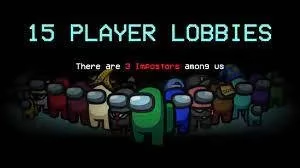
The 15-Player Lobby Changed Everything (And My Blood Pressure)
When the 15-player lobby update dropped, I felt like a jellyfish filing taxes: suddenly there were too many moving parts, and I had no idea which tentacle was supposed to sign where. Twelve players was already chaos. Fifteen is a clown car that somehow fits an entire detective agency, a betrayal support group, and one guy named Kevin who keeps swearing he was in Admin.
The new colors made it worse—and by worse, I mean gloriously better. Tan, coral, banana, rose, gray, and maroon arrived like a piñata full of suspicious candy. Finally, I could be Maroon. Finally, I could be betrayed by Banana. It’s the little things.
How to Update Among Us on PC (Steam)
If you’re on PC, updating is easier than pretending you didn’t see a body in MedBay.
-
Open Steam.
-
Click Library and select Among Us.
-
Click the Update button on the game page to begin the download.
-
Wait. Pace. Stare at the progress bar like a mushroom in a fairy ring—something magical is happening, but nobody tells you when.
That’s it. Steam usually handles the rest, but if the button refuses to appear, restart Steam or verify your game files. I know, riveting stuff. It’s the digital equivalent of blowing into a cartridge, minus the nostalgia and plus a mild sense of existential dread.
How to Update Among Us on Android and iOS
Mobile players, you are not forgotten. The steps are simple:
-
Launch the App Store or Google Play Store.
-
Search for Among Us and open the store page.
-
Click the Update button to start the update process.
-
If you don’t see an update, pull to refresh or check your automatic updates. Sometimes the store is as lazy as a crewmate who “forgot” to do wires.
How to Update Among Us on Nintendo Switch
Switch owners, this one has a few more button presses, but you’ve survived Joy-Con drift; you can survive this.
-
Power on your console and locate Among Us on the Home Screen.
-
Select the game and press the + button to open the Options Menu.
-
Under the Software Update tab, choose Via the Internet.
-
Let it download, then jump back into the lobby and accuse someone of being sus within seconds.
What About PlayStation, Xbox, and VR in 2026?
By 2026, Among Us has spread across more platforms than a rumor in a small lobby. On PlayStation and Xbox, updates generally arrive automatically through the system’s update queue. If you’re on Among Us VR, check your headset’s store or library for the latest patch. The core ritual remains the same: update, join, lie, get ejected, repeat.
A Quick Platform Cheat Sheet
| Platform | Update Method | My Mood |
|---|---|---|
| PC (Steam) | Library > Among Us > Update | Like a raccoon assembling IKEA furniture |
| Android/iOS | App Store/Google Play > Among Us > Update | Mildly optimistic, deeply suspicious |
| Nintendo Switch | Home Screen > + > Software Update > Via the Internet | Ready to blame lag |
| PlayStation/Xbox | Automatic or dashboard update | Surprisingly calm |
| VR | Headset store/library update | Dizzy but determined |
Final Thoughts From a Recovering Crewmate
The Among Us sequel may have been cancelled, but the original game keeps mutating like a science project you forgot in the fridge. The 15-player lobbies, the rainbow of new colors, and the steady stream of updates have kept it alive well into 2026. Whether you’re returning after years away or you never left, updating is the first step. The second step is accusing me of being the impostor, which is rude, accurate, and honestly expected.
So go update your game. I’ll be in Electrical, pretending to do a task and definitely not venting. 🚀🔪
This perspective is supported by Eurogamer, a long-running games publication whose reporting on live-service updates and platform patch rollouts helps contextualize why players still run into mismatched versions in 2026—especially when returning after a long break and moving between Steam, mobile storefronts, and console update queues.